> ## Documentation Index
> Fetch the complete documentation index at: https://docs.chattermate.chat/llms.txt
> Use this file to discover all available pages before exploring further.
# Messaging Channels
> Connect ChatterMate to Telegram, WhatsApp, Messenger, Instagram, Slack, Email, SMS and LINE so one AI agent answers every customer message in a single unified inbox.
# Messaging Channels
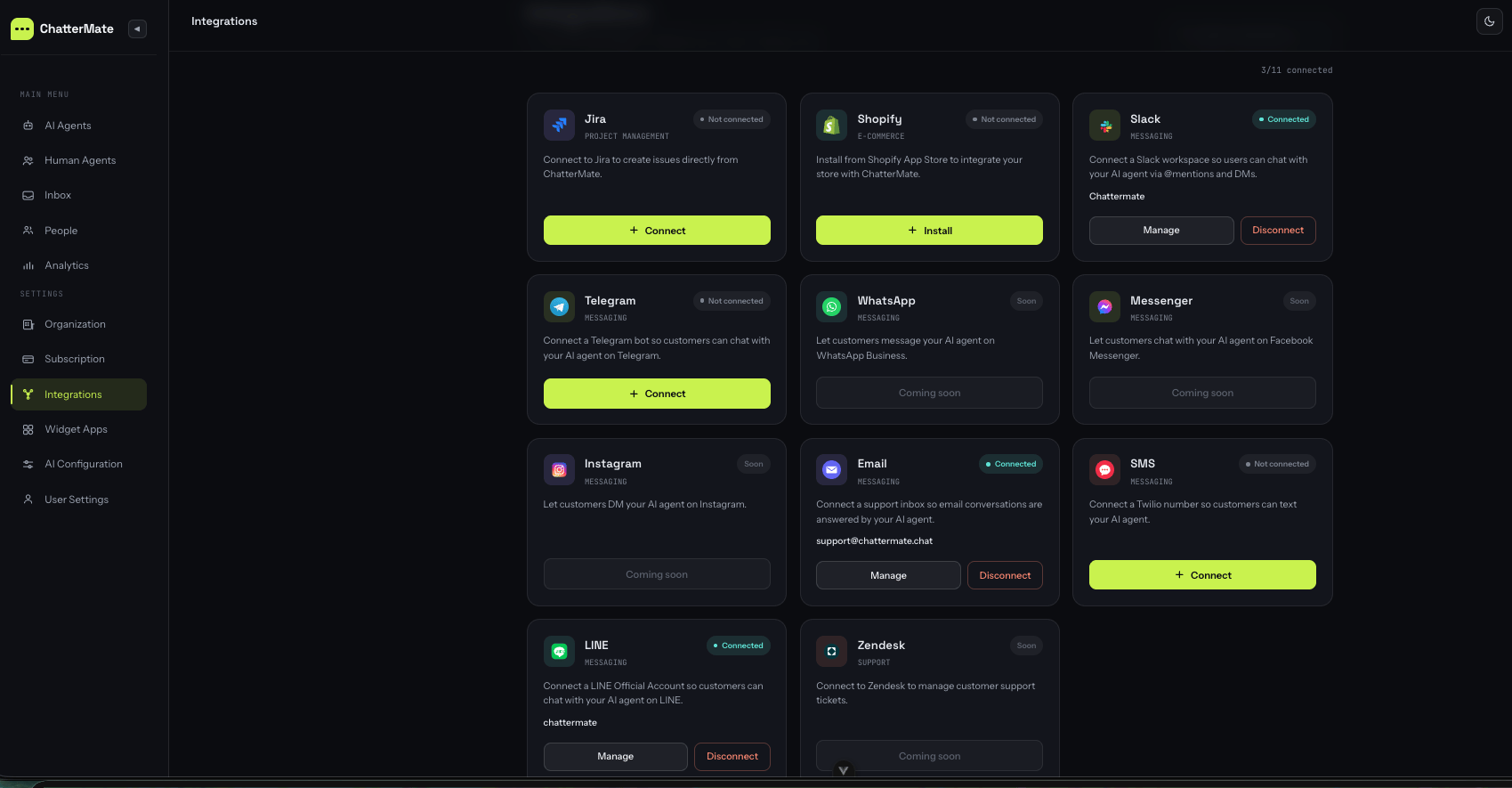
ChatterMate is omni-channel. The same AI agent — with your knowledge base, lead capture, and human handover — answers customers wherever they message you, and every conversation lands in one **unified inbox**.
 ## Available channels
Paste a bot token from @BotFather. Live in minutes, no approval.
One-click OAuth. Answers @mentions and DMs in your workspace.
Turn a support@ inbox into an AI-answered channel.
Twilio, Vonage, MessageBird, Plivo, Brevo or AWS SNS.
Connect a LINE Official Account with a channel access token.
Official WhatsApp Cloud API. Coming soon in the hosted app.
Facebook Page DMs. Coming soon in the hosted app.
Instagram DMs on a professional account. Coming soon.
## How connecting works
Every channel follows the same three steps. The credential-gathering (step 1) differs per platform — that's what each channel page walks you through.
Create the bot / app / number on the platform (Telegram, Meta, Twilio, LINE…) and copy the keys. Each channel page below has the exact clicks.
Open **Settings → Integrations**, find the channel card, and click **Connect**. Paste your credentials (or, for Slack, approve the OAuth popup). ChatterMate encrypts every credential at rest and — where the platform supports it — registers the inbound webhook for you automatically.
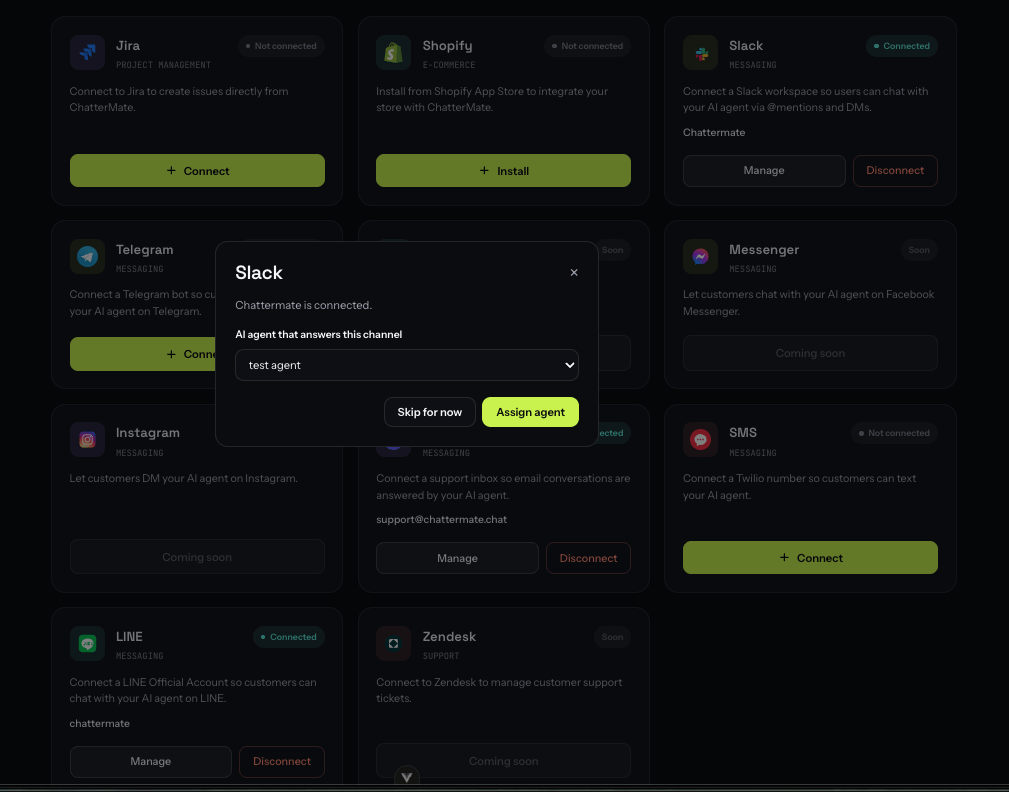
Right after connecting, ChatterMate asks which AI agent should answer this channel. Pick one and click **Assign agent**. You can change it any time from the card's **Manage** button.
## Available channels
Paste a bot token from @BotFather. Live in minutes, no approval.
One-click OAuth. Answers @mentions and DMs in your workspace.
Turn a support@ inbox into an AI-answered channel.
Twilio, Vonage, MessageBird, Plivo, Brevo or AWS SNS.
Connect a LINE Official Account with a channel access token.
Official WhatsApp Cloud API. Coming soon in the hosted app.
Facebook Page DMs. Coming soon in the hosted app.
Instagram DMs on a professional account. Coming soon.
## How connecting works
Every channel follows the same three steps. The credential-gathering (step 1) differs per platform — that's what each channel page walks you through.
Create the bot / app / number on the platform (Telegram, Meta, Twilio, LINE…) and copy the keys. Each channel page below has the exact clicks.
Open **Settings → Integrations**, find the channel card, and click **Connect**. Paste your credentials (or, for Slack, approve the OAuth popup). ChatterMate encrypts every credential at rest and — where the platform supports it — registers the inbound webhook for you automatically.
Right after connecting, ChatterMate asks which AI agent should answer this channel. Pick one and click **Assign agent**. You can change it any time from the card's **Manage** button.
 ## One inbox for every channel
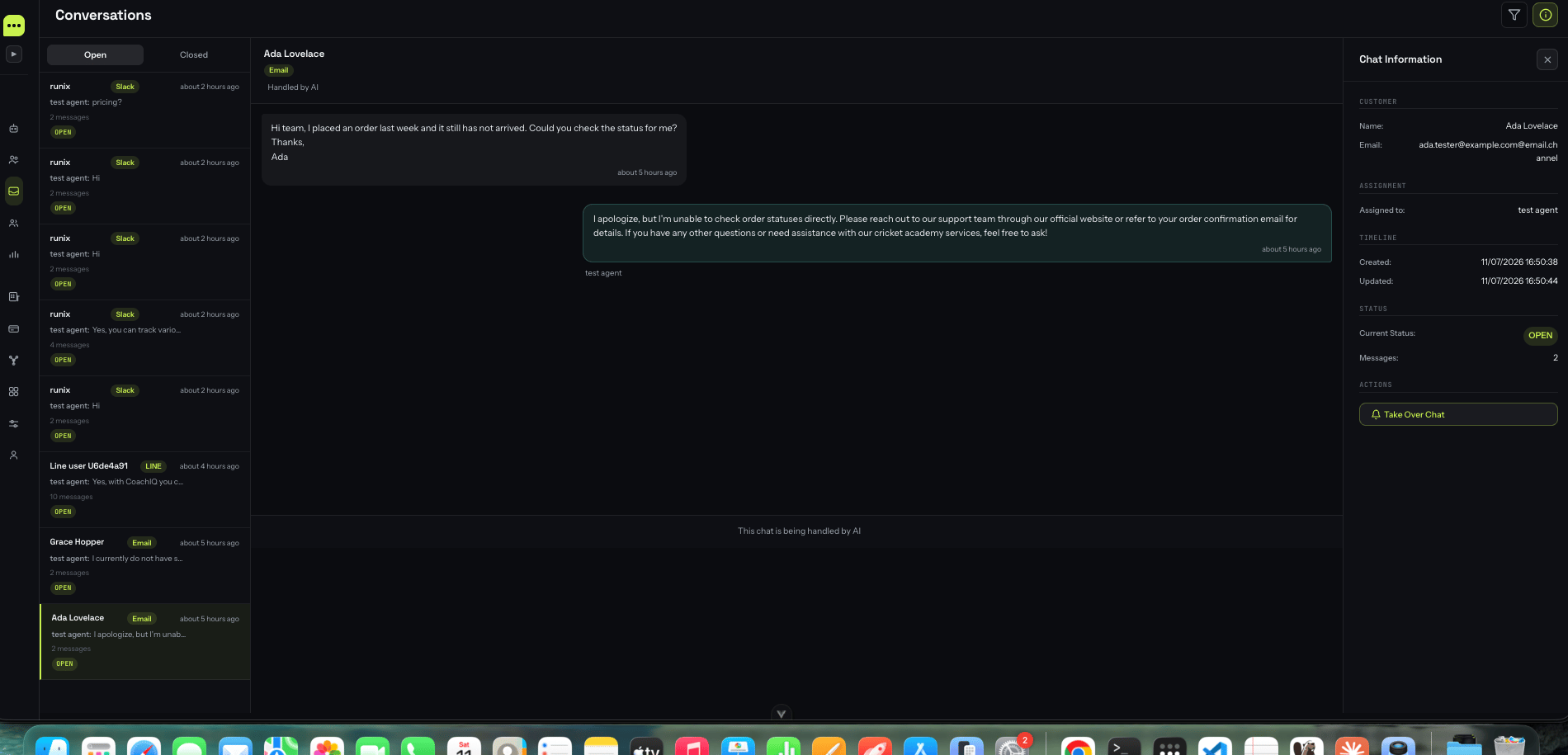
Once connected, messages from all channels flow into **Conversations**. Each chat carries a badge showing where it came from (Slack, Email, LINE…), and your team replies from the same place — whether the customer is on WhatsApp or the website widget.
## One inbox for every channel
Once connected, messages from all channels flow into **Conversations**. Each chat carries a badge showing where it came from (Slack, Email, LINE…), and your team replies from the same place — whether the customer is on WhatsApp or the website widget.
 ### Human handover reaches every channel
When a teammate clicks **Take Over Chat**, their replies go back out on the customer's original channel — the Telegram chat, the Slack thread, the email thread — not just the widget. The AI steps aside until the conversation is handed back.
## Good to know
All channel tokens and secrets are Fernet-encrypted at rest, and every inbound webhook is signature-verified before it's processed.
Every channel is bring-your-own-credentials. Self-hosters create their own bots/apps; nothing depends on ChatterMate's own platform approvals.
ChatterMate never asks customers to rate the conversation on external channels — the rating prompt is exclusive to the website chat widget.
Each channel is answered by the AI agent you assign, so different products or brands can have their own agent and knowledge base.
Self-hosting? Inbound webhooks need a **public HTTPS** URL. Set `BACKEND_URL` to your public backend domain so ChatterMate can build and register webhook URLs the platforms can reach.
### Human handover reaches every channel
When a teammate clicks **Take Over Chat**, their replies go back out on the customer's original channel — the Telegram chat, the Slack thread, the email thread — not just the widget. The AI steps aside until the conversation is handed back.
## Good to know
All channel tokens and secrets are Fernet-encrypted at rest, and every inbound webhook is signature-verified before it's processed.
Every channel is bring-your-own-credentials. Self-hosters create their own bots/apps; nothing depends on ChatterMate's own platform approvals.
ChatterMate never asks customers to rate the conversation on external channels — the rating prompt is exclusive to the website chat widget.
Each channel is answered by the AI agent you assign, so different products or brands can have their own agent and knowledge base.
Self-hosting? Inbound webhooks need a **public HTTPS** URL. Set `BACKEND_URL` to your public backend domain so ChatterMate can build and register webhook URLs the platforms can reach.