> ## Documentation Index
> Fetch the complete documentation index at: https://docs.chattermate.chat/llms.txt
> Use this file to discover all available pages before exploring further.
# Jira Integration
> Connect ChatterMate with Jira so AI agents create and update tickets from customer chats and answer status inquiries, streamlining issue tracking and support.
# Jira Integration
Integrate ChatterMate with Jira to enable AI-based ticket management and status inquiries. Let your AI agents create and update tickets based on customer issues to seamlessly track and resolve support requests.
 ## Integration Benefits
AI agents automatically create and update Jira tickets based on customer conversations
Customers can ask about ticket status and receive immediate updates from AI agents
## Seamless Integration
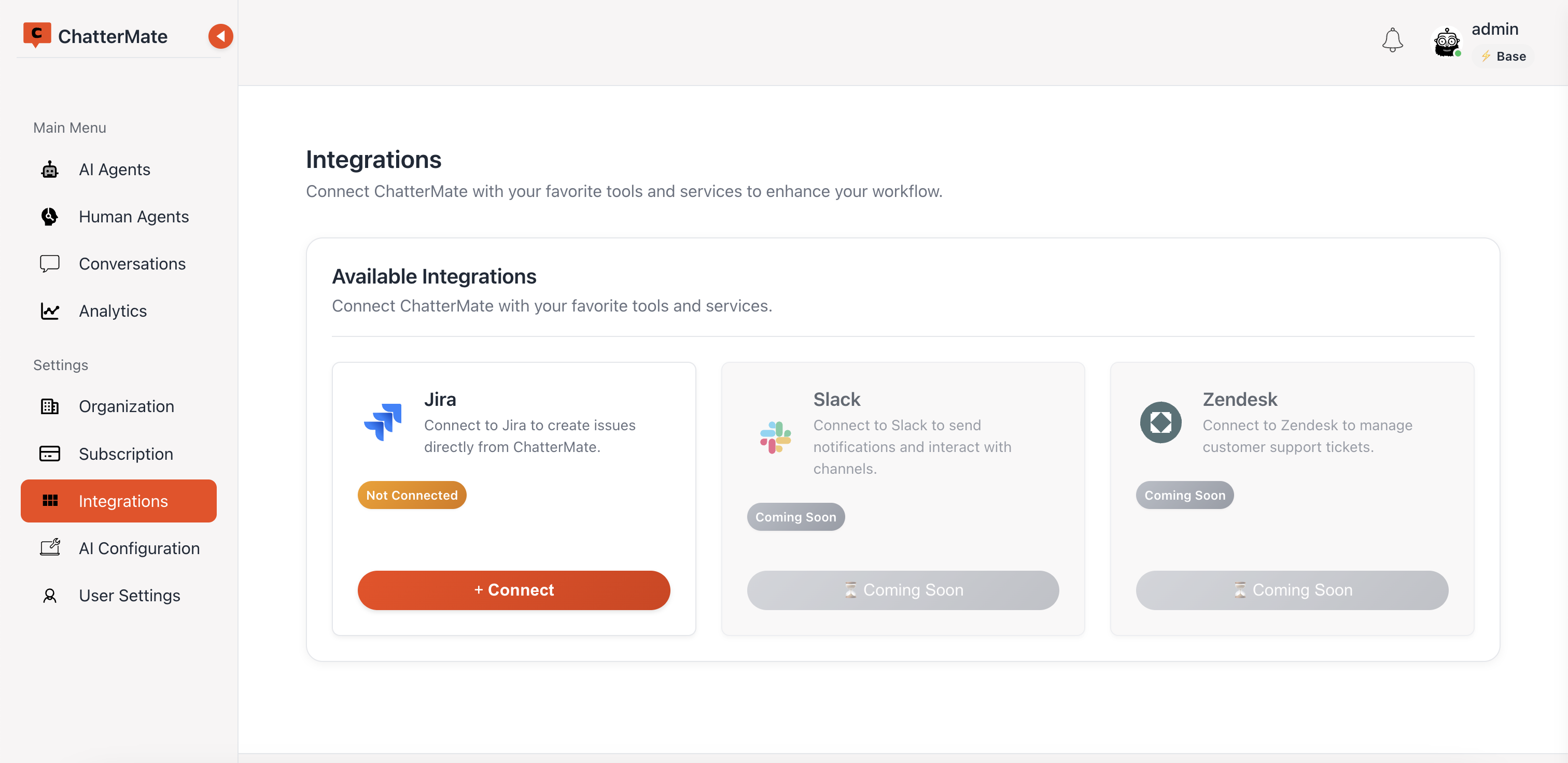
ChatterMate connects to Jira using OAuth authentication, providing a secure and straightforward setup process:
1. Navigate to the Integrations page in ChatterMate
2. Select Jira from the available integrations
3. Click the "+ Connect" button
4. Authorize the connection using Jira OAuth
Only Jira OAuth authentication is required. No complex configuration or webhook setup needed.
## Agent-Specific Configuration
Each AI or human agent can be configured with specific Jira integration settings:
## Integration Benefits
AI agents automatically create and update Jira tickets based on customer conversations
Customers can ask about ticket status and receive immediate updates from AI agents
## Seamless Integration
ChatterMate connects to Jira using OAuth authentication, providing a secure and straightforward setup process:
1. Navigate to the Integrations page in ChatterMate
2. Select Jira from the available integrations
3. Click the "+ Connect" button
4. Authorize the connection using Jira OAuth
Only Jira OAuth authentication is required. No complex configuration or webhook setup needed.
## Agent-Specific Configuration
Each AI or human agent can be configured with specific Jira integration settings:
 ### Ticket Creation Triggers
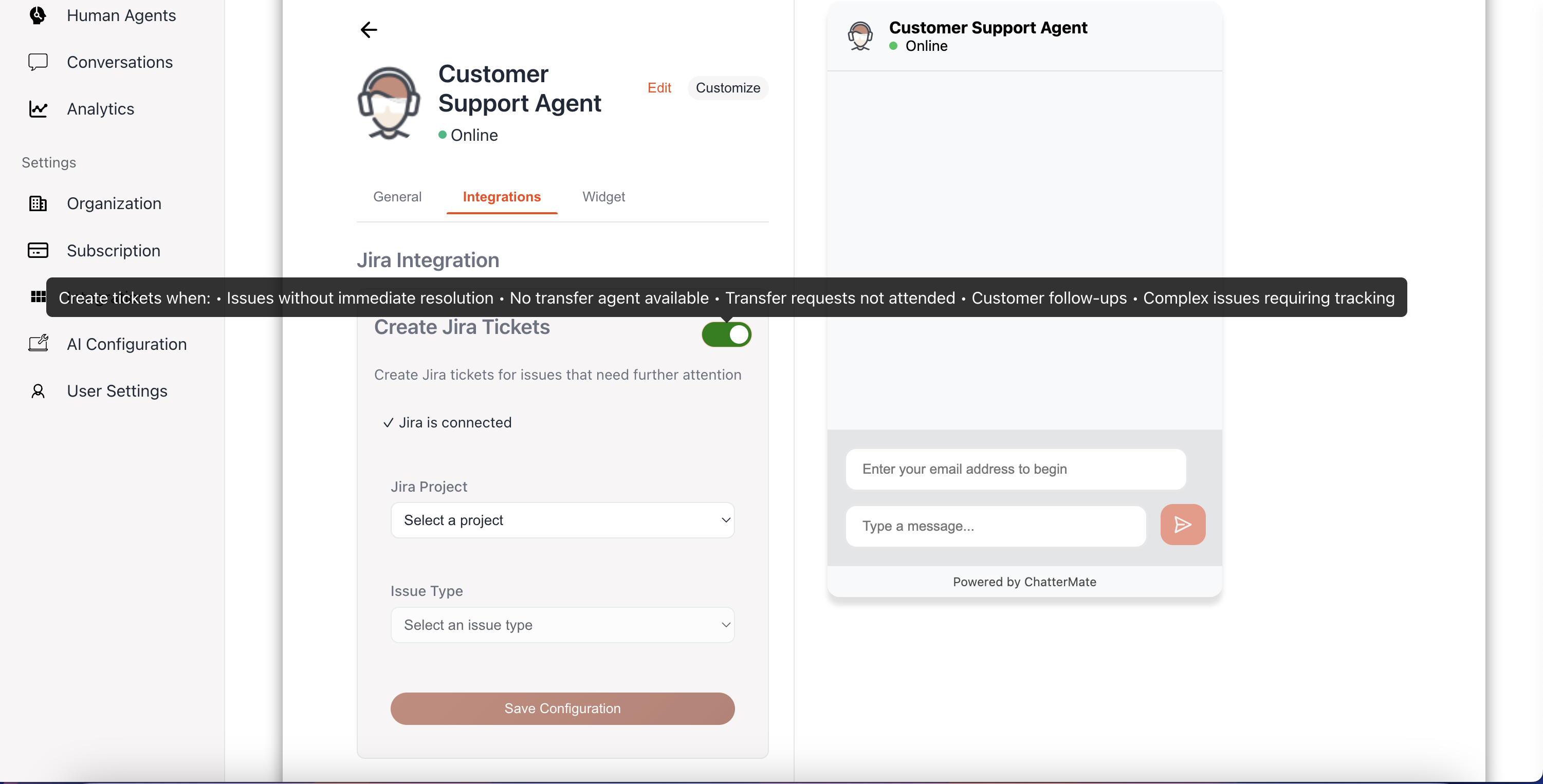
Configure when tickets should be automatically created in Jira:
* Issues without immediate resolution
* No transfer agent available
* Transfer requests not attended
* Customer follow-ups
* Complex issues requiring tracking
You can enable or disable automatic ticket creation for each agent individually, allowing for specialized handling based on agent roles and responsibilities.
## Ticket Creation
### AI-Powered Ticket Creation
AI agents can automatically:
* Detect when a customer issue requires tracking
* Create appropriate Jira tickets with relevant details
* Update customers on ticket status
* Add conversation context to ticket descriptions
### One-Click Ticket Creation for Human Agents
Human agents can create Jira tickets with a single click:
### Ticket Creation Triggers
Configure when tickets should be automatically created in Jira:
* Issues without immediate resolution
* No transfer agent available
* Transfer requests not attended
* Customer follow-ups
* Complex issues requiring tracking
You can enable or disable automatic ticket creation for each agent individually, allowing for specialized handling based on agent roles and responsibilities.
## Ticket Creation
### AI-Powered Ticket Creation
AI agents can automatically:
* Detect when a customer issue requires tracking
* Create appropriate Jira tickets with relevant details
* Update customers on ticket status
* Add conversation context to ticket descriptions
### One-Click Ticket Creation for Human Agents
Human agents can create Jira tickets with a single click:
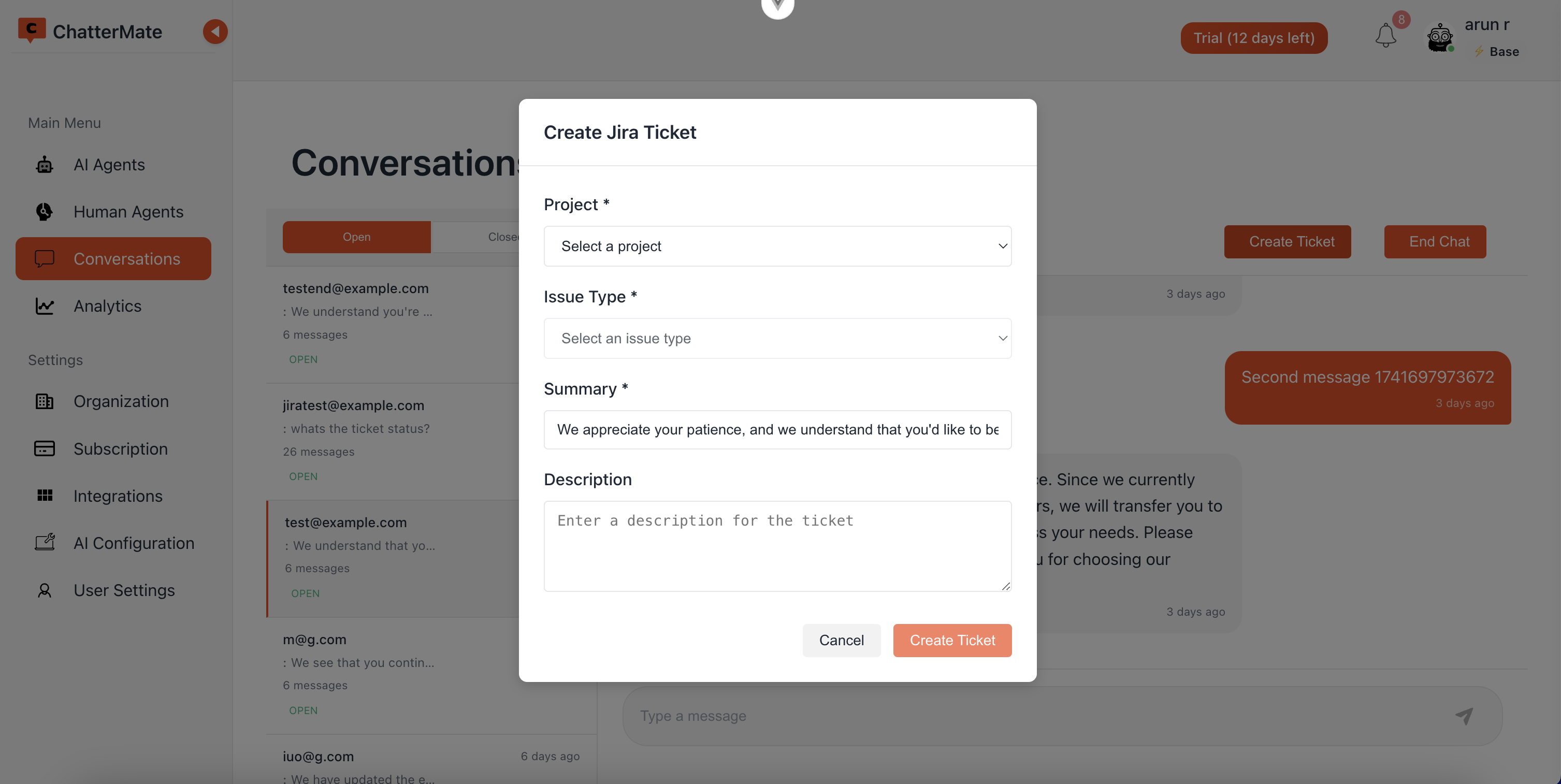 The ticket creation dialog allows agents to:
* Select the appropriate project
* Choose the issue type
* Set priority
* Add a summary and description
* Include conversation context automatically
## Ticket Customization
### Project Selection
Choose which Jira project tickets should be created in based on:
* Customer issue type
* Support department
* Agent specialization
### Issue Type Configuration
Map ChatterMate conversation categories to appropriate Jira issue types:
* Bug reports
* Feature requests
* Support inquiries
* Account issues
### Priority Setting
Set ticket priority based on:
* Customer status
* Issue urgency
* Business impact
* Resolution timeframe
## Customer Experience
Customers benefit from the integration through:
* **Transparent Tracking**: Receive ticket IDs and status updates directly in the conversation
* **Status Inquiries**: Ask about ticket status at any time and receive immediate responses
* **Seamless Handoffs**: Transition between AI and human agents while maintaining ticket context
* **Consistent Updates**: Receive notifications as their issue progresses through resolution stages
The ticket creation dialog allows agents to:
* Select the appropriate project
* Choose the issue type
* Set priority
* Add a summary and description
* Include conversation context automatically
## Ticket Customization
### Project Selection
Choose which Jira project tickets should be created in based on:
* Customer issue type
* Support department
* Agent specialization
### Issue Type Configuration
Map ChatterMate conversation categories to appropriate Jira issue types:
* Bug reports
* Feature requests
* Support inquiries
* Account issues
### Priority Setting
Set ticket priority based on:
* Customer status
* Issue urgency
* Business impact
* Resolution timeframe
## Customer Experience
Customers benefit from the integration through:
* **Transparent Tracking**: Receive ticket IDs and status updates directly in the conversation
* **Status Inquiries**: Ask about ticket status at any time and receive immediate responses
* **Seamless Handoffs**: Transition between AI and human agents while maintaining ticket context
* **Consistent Updates**: Receive notifications as their issue progresses through resolution stages