

Testing AI Agent
Test your AI agents in a simulated environment to ensure they provide accurate and appropriate responses before deploying to production.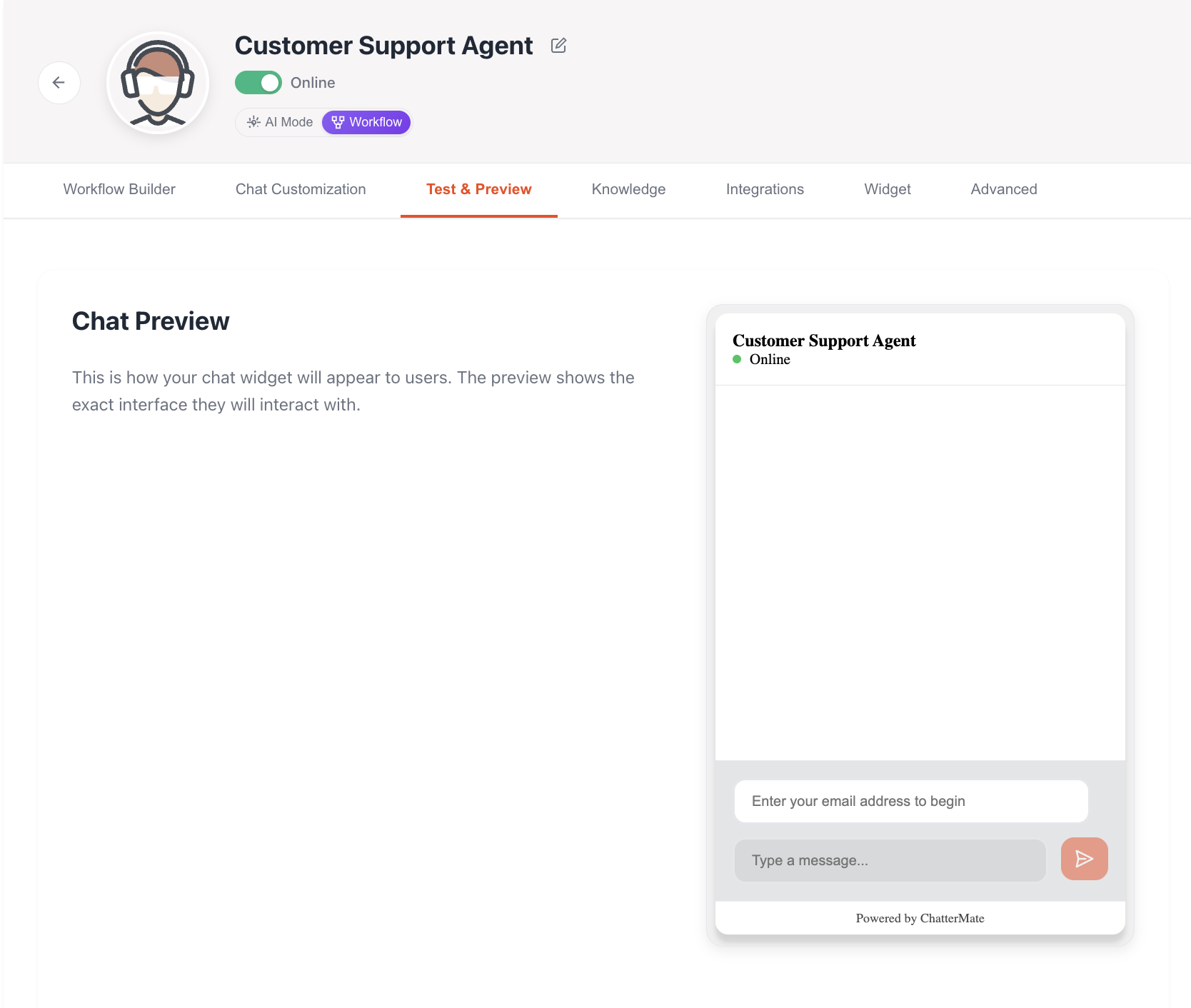
Customer Identification
Email Collection
- Email is required before starting a chat
- Automatically identifies returning customers
- Loads previous conversation history
- Maintains context across sessions
Testing Features
Conversation Testing
Basic Interactions
Basic Interactions
- Test standard greetings and responses
- Verify tone and communication style
- Check response formatting
- Test multi-turn conversations
Knowledge Retrieval
Knowledge Retrieval
- Test queries against added knowledge
- Verify accurate information recall
- Check context maintenance
- Test complex multi-topic queries
Human Handoff
Human Handoff
- Test automatic transfer triggers
- Verify after-hours behavior
- Check transfer messages
- Test manual transfer requests
Test Scenarios
Customer Context
-
New Customer
- First-time interaction
- No previous history
- Basic profile creation
-
Returning Customer
- Previous history loaded
- Context from past interactions
- Personalized responses
Common Test Cases
Product Inquiries
Test product knowledge and pricing responses
Support Issues
Verify troubleshooting capabilities
Account Questions
Test account-related responses
Complex Scenarios
Multi-step problem resolution
Chat History
History Features
- Complete conversation logs
- Timestamp for each interaction
- Session summaries
- Action tracking (transfers, resolutions)
History Usage
- Context for personalized responses
- Issue tracking and follow-up
- Training data for improvements
- Quality assurance reviews
Chat history is automatically associated with the customer’s email address, allowing for seamless continuation of conversations across multiple sessions.
Testing Best Practices
-
Systematic Testing
- Start with basic queries
- Progress to complex scenarios
- Test edge cases
- Verify error handling
-
Knowledge Testing
- Test recently added content
- Verify cross-document knowledge
- Check information accuracy
- Test knowledge updates
-
Customer Experience
- Verify response times
- Check message formatting
- Test file attachments
- Validate email notifications
Test Environment
Features Available
- Real-time chat interface
- Knowledge base access
- History simulation
- Transfer scenarios
Testing Tools
- Chat widget preview
- Response analysis
- Performance metrics
- Error logging
What’s Next?
After testing your AI agent:- Review test results
- Make necessary adjustments
- Update knowledge if needed
- Deploy to production
Widget Integration
Next: Learn how to integrate the chat widget into your website