

Roles & Permissions
Configure access control and manage user permissions through role-based authentication.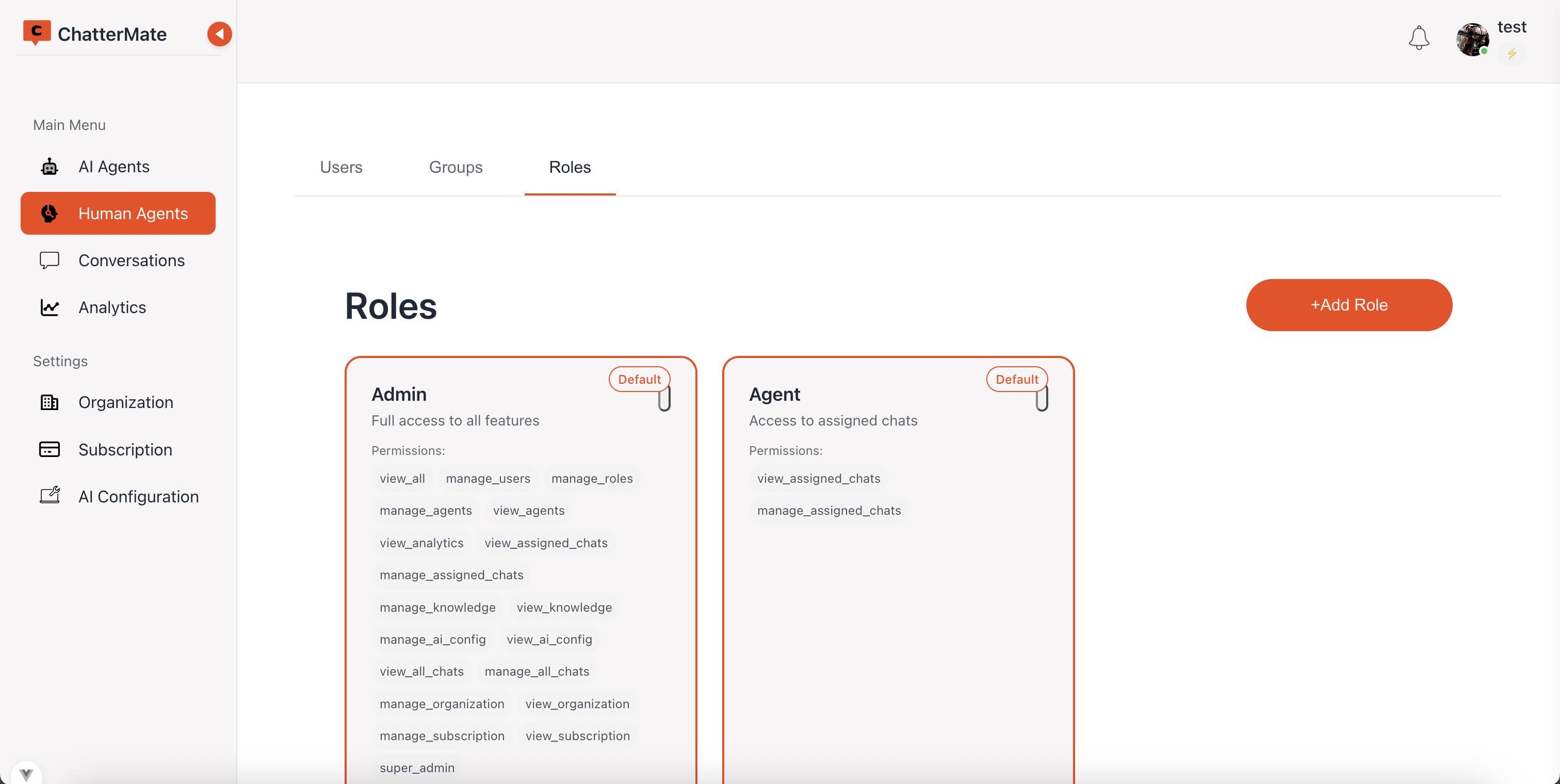
Role Types
Default Roles
Admin
Complete system access and management capabilities
Agent
Chat and assigned features access
Custom Roles
Create specialized roles with:- Custom permission sets
- Specific access levels
- Department-based permissions
- Feature-based restrictions
Permission Categories
View Permissions
Basic Access
Basic Access
- View agent information
- Access analytics dashboard
- View assigned conversations
- Read knowledge base
Management Access
Management Access
- User administration
- Role configuration
- Agent management
- Chat assignment control
System Access
System Access
- Organization settings
- Subscription management
- System configuration
- Advanced features
How Permissions Are Enforced
Every permission is checked in two places, and both have to agree:- The interface hides pages, menu items and actions a role cannot use. A denied navigation lands on a “no access” page rather than somewhere unexpected.
- The API rejects the request regardless of what the interface showed, so nothing is protected by hiding a button alone.
- You cannot grant a permission you do not hold yourself.
- Only roles with the relevant management permission can read or edit roles at all.
A role marked as the organization’s default cannot be edited or deleted, so a workspace can never be left without one to assign new users.
Role Features
Role Creation
- Custom role naming
- Permission selection
- Access level definition
- Feature restrictions
Role Management
- Edit existing roles
- Update permissions
- Modify access levels
- Track role changes
Role Assignment
- Assign to users
- Bulk role updates
- Role inheritance
- Access control
Chat Management
Next: Learn how to manage customer conversations