

Help Center
Turn what your agents already know into a public, searchable help center. ChatterMate generates FAQs from your knowledge base (or imports them from a URL or PDF), lets you review and publish them as articles, and serves a fast, SEO-friendly site with AI-powered search and an optional embedded chat widget.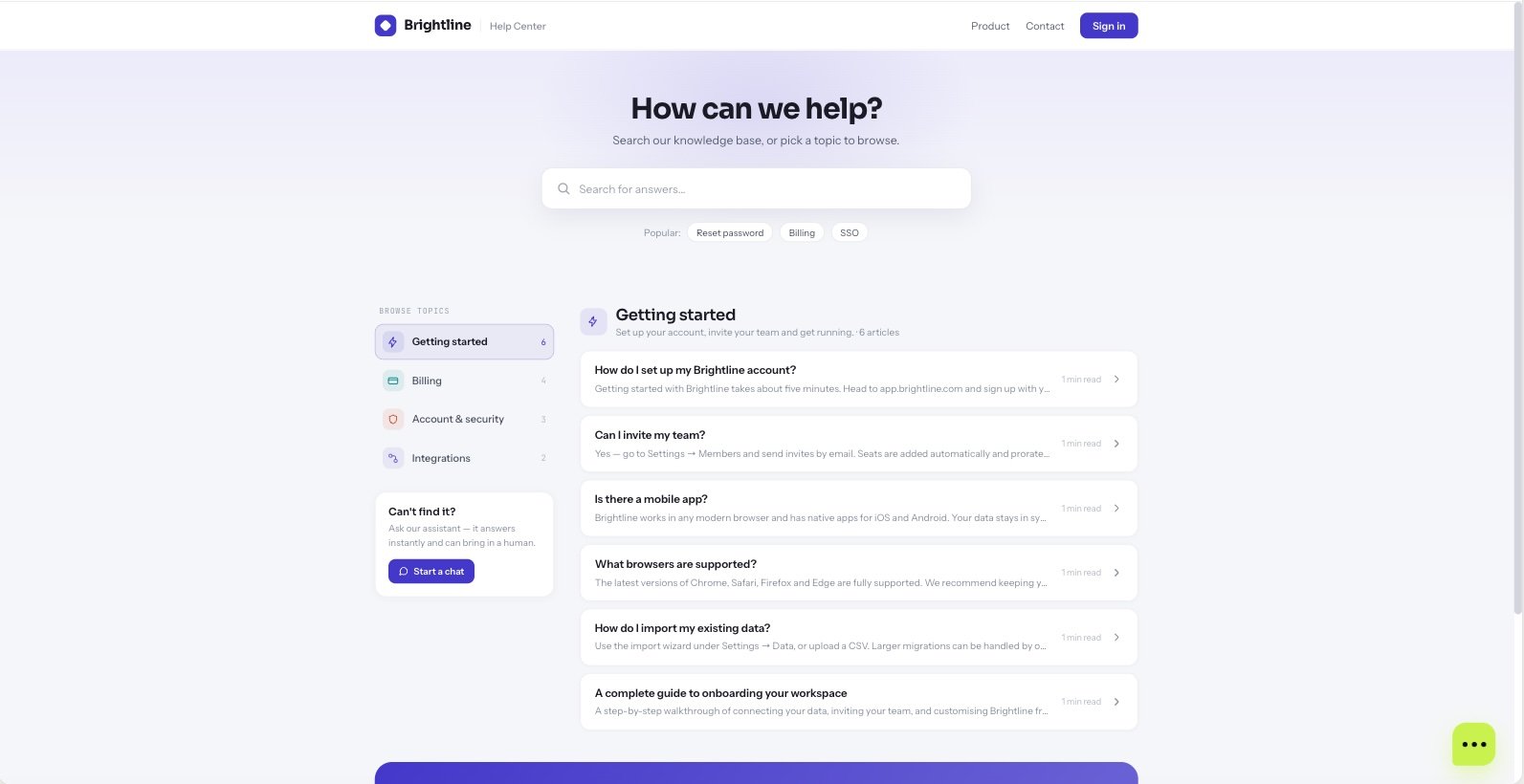
Where to manage it
Open FAQ Manager in the dashboard. It has two tabs:FAQs
Generate, import, write, review, and publish your questions and answers.
Customization
Branding, logo, header links, AI search, the chat widget, and your custom domain.
The Help Center is a Pro / Enterprise feature. On the community edition it is fully open.
Building your FAQs
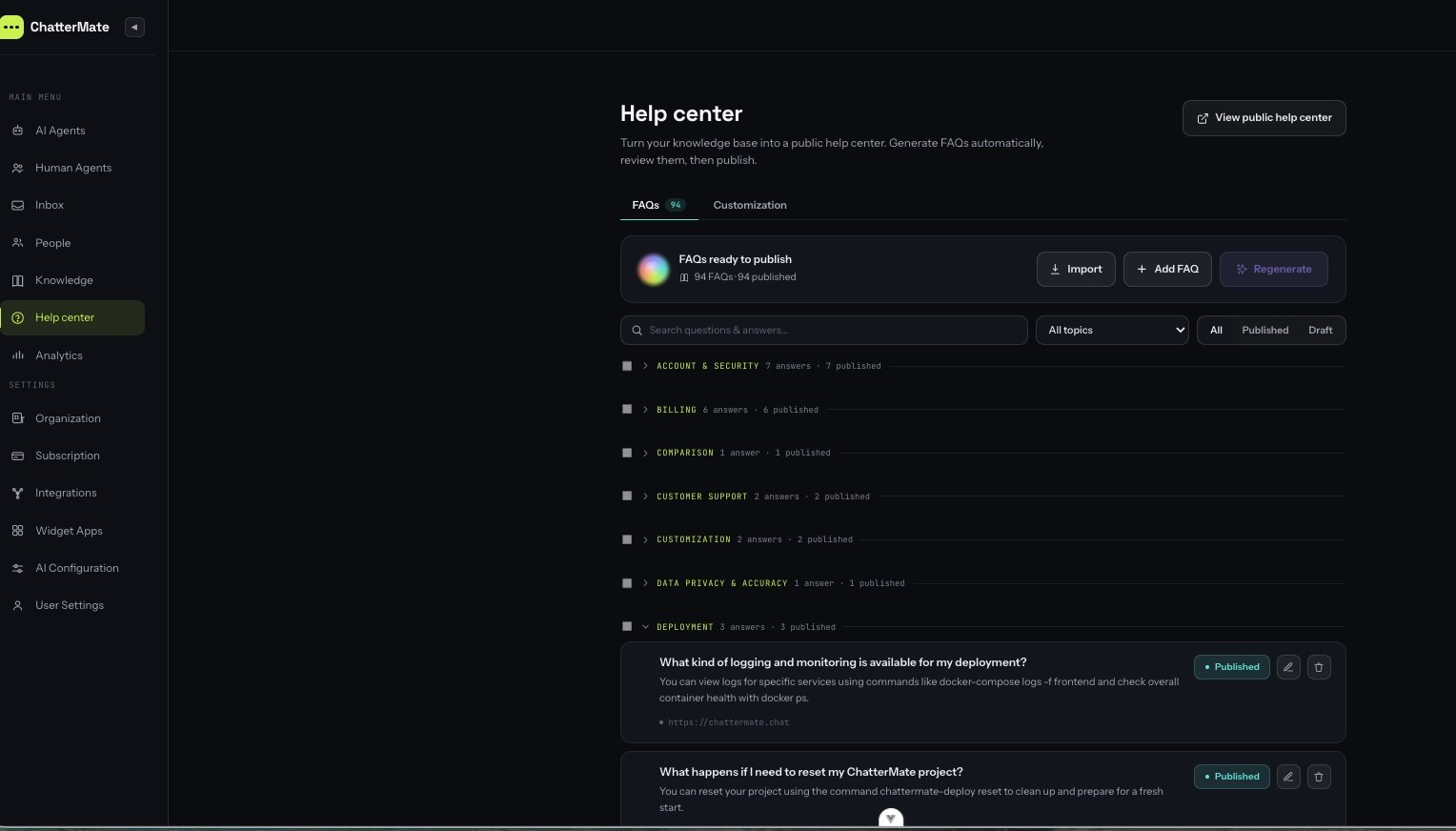
Generate from your knowledge base
Generate from your knowledge base
Pick one or more knowledge sources and ChatterMate drafts grouped Q&A from their content. You
choose which sources to use, and a credit estimate is shown before you start. Regenerating only
processes sources that don’t already have FAQs.
Import from a URL
Import from a URL
Point at an existing help center or page. Two modes:
- Q&A — AI extracts question/answer pairs (uses credits).
- Articles — crawls the linked articles and imports them as-is in Markdown (no AI, no credits), re-hosting their images.
Import from a PDF
Import from a PDF
Upload a PDF and ChatterMate extracts Q&A pairs from its text.
Write them manually
Write them manually
Add a question and a Markdown answer yourself, with a rich editor and image uploads.
Customize the appearance
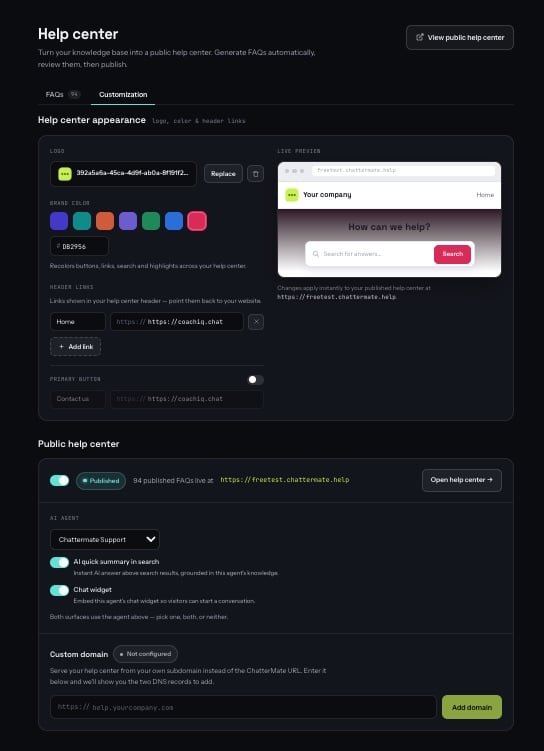
- Logo and brand color — applied across buttons, links, search and highlights.
- Favicon — the icon shown in the browser tab.
- Title and description — heading and site-wide SEO metadata.
- Header links — up to six nav links back to your website.
- AI quick summary in search — an instant AI answer above search results, grounded in your published FAQs.
- Chat widget — embed an agent’s chat widget so visitors can start a conversation.
The public site
On ChatterMate Cloud your help center is live athttps://{your-slug}.help.chattermate.chat.
Self-hosted installs serve it by path on your own backend instead — https://your-app.com/help/{your-slug} —
so it works immediately without extra DNS or certificates. Either way the exact URL is shown in
Customization once you enable the site.
Visitors get:
- Instant search across your published FAQs, with an optional AI answer on top.
- Browse by topic — articles grouped by category.
- Article pages with clean, shareable URLs, a breadcrumb trail, related articles and a “Was this helpful?” vote.
- The embedded chat widget when they need a human.
SEO
Every page is server-rendered, so search engines and AI answer engines see your full content without running any JavaScript. Out of the box each help center gets:- A self-referencing canonical URL, plus
sitemap.xmlandrobots.txt. - Open Graph and Twitter card tags — links shared into Slack, LinkedIn or X show a title, description and your logo instead of a bare URL.
- Structured data (JSON-LD): one
@graphper page wiring togetherOrganization,WebSite,WebPage,BreadcrumbListandTechArticleon articles, andFAQPageon the landing page. - A breadcrumb trail (Home › Category › Article) on every article, matching its markup.
Per-article SEO
Open an FAQ in the editor and expand SEO & URL to override what search engines show for that article:
Every field is optional. Character counters mark where search engines typically truncate — around
60 characters for a title and 160 for a description — but you can go longer.
Slugs are normalized automatically (lowercased, spaces and symbols become hyphens) and must be
unique within your help center; if the one you want is taken, ChatterMate appends a number.
Custom domain
Serve the help center on your own domain (e.g.help.acme.com) instead of the default subdomain:
1
Add your domain
In Customization → Custom domain, enter your domain. ChatterMate shows the two DNS records to add.
2
Add the DNS records
At your DNS provider, add the CNAME (points your domain at ChatterMate) and the TXT
verification record shown in the dashboard.
3
Verify
Click Verify domain. Once DNS resolves, the certificate is provisioned automatically and your
help center goes live on your domain over HTTPS.
Self-hosted setup
Self-hosted setup
On the ChatterMate cloud this is fully managed. On a self-hosted install the
same Verify flow works and TLS is still issued automatically — as long as
you deployed with the
chattermate-deploy
CLI and gave it a domain. The bundled edge proxy issues a certificate on demand
for any domain you verify.- Deploy with a domain:
chattermate-deploy init→ answer yes to the domain prompt and enter your app domain (and optionally a Help Center base domain). - In the dashboard, add your custom domain and create the TXT record shown.
- Add a CNAME from your custom domain to your app domain (it already resolves to your server), then click Verify. The certificate is issued on the first request — allow a few seconds.
Manage it from the CLI
Everything above (except knowledge-base generation) can be scripted with the ChatterMate CLI:Next steps
Knowledge Base
Add the content your FAQs are generated from.
CLI → Help Center
Automate FAQ and help-center management from your terminal or CI.