

Shopify
The ChatterMate app for Shopify connects your store to an AI agent and to your team’s inbox. Install it from the Shopify App Store, pick the agent that answers your store, and turn on the chat in your theme.The Shopify app is part of ChatterMate Cloud. Plans bought through the app are billed by Shopify.
What the AI agent does
- Order tracking. It shows the order’s status and the tracking for every parcel once the customer gives the order number and the email used at checkout. A wrong email gets the same reply as a missing order, so nobody can look up someone else’s order.
- Product answers. It searches your catalogue from the customer’s own words, shows product cards in the website widget and says when an item is sold out. On Growth, customers add to the cart from the card.
- Orders by email. On Growth, a customer confirms their email with a code and sees their recent orders without an order number.
- Handing over. Refunds, damaged items and anything it can’t do go to your team with the whole conversation.
Orders in the inbox
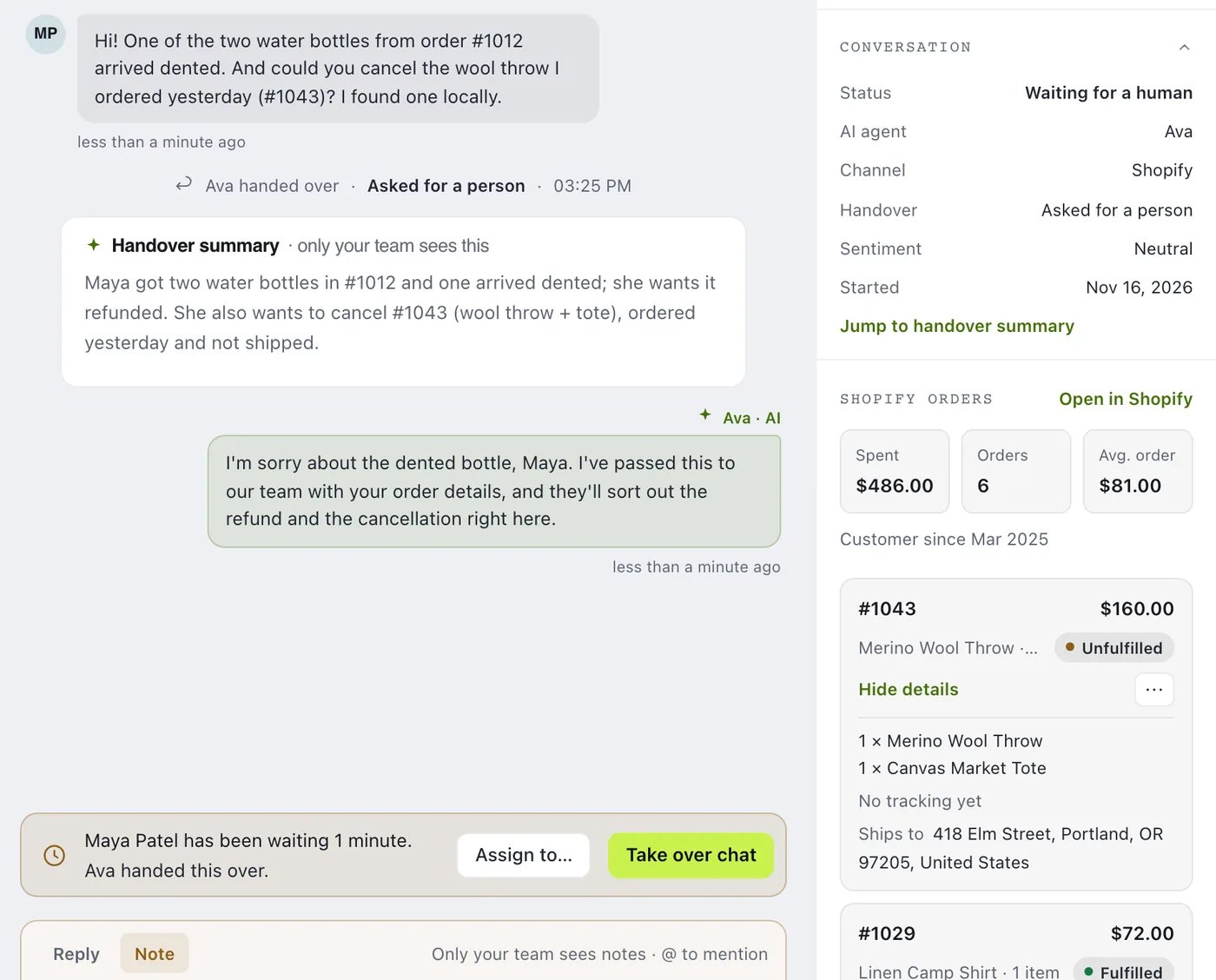
When a chat’s AI agent is connected to Shopify, the customer details beside the thread show:- what the customer has spent, their number of orders, their average order and how long they’ve been a customer;
- their latest orders, each with its items, shipping address, tracking and a link that opens it in Shopify.
Order actions for your team
On Growth and Pro, your team acts on an order from the inbox without opening Shopify. Open an order’s menu in the customer details:
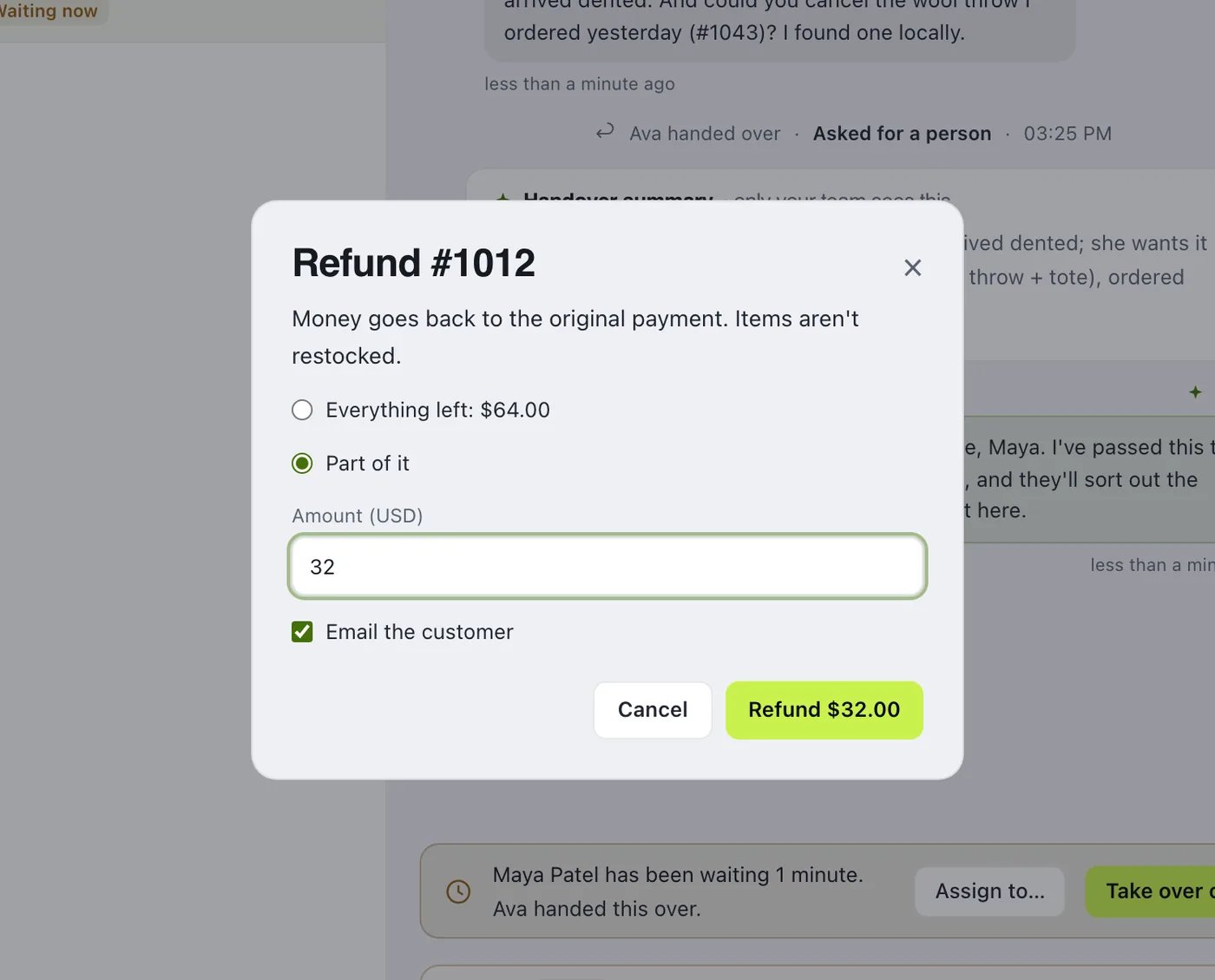
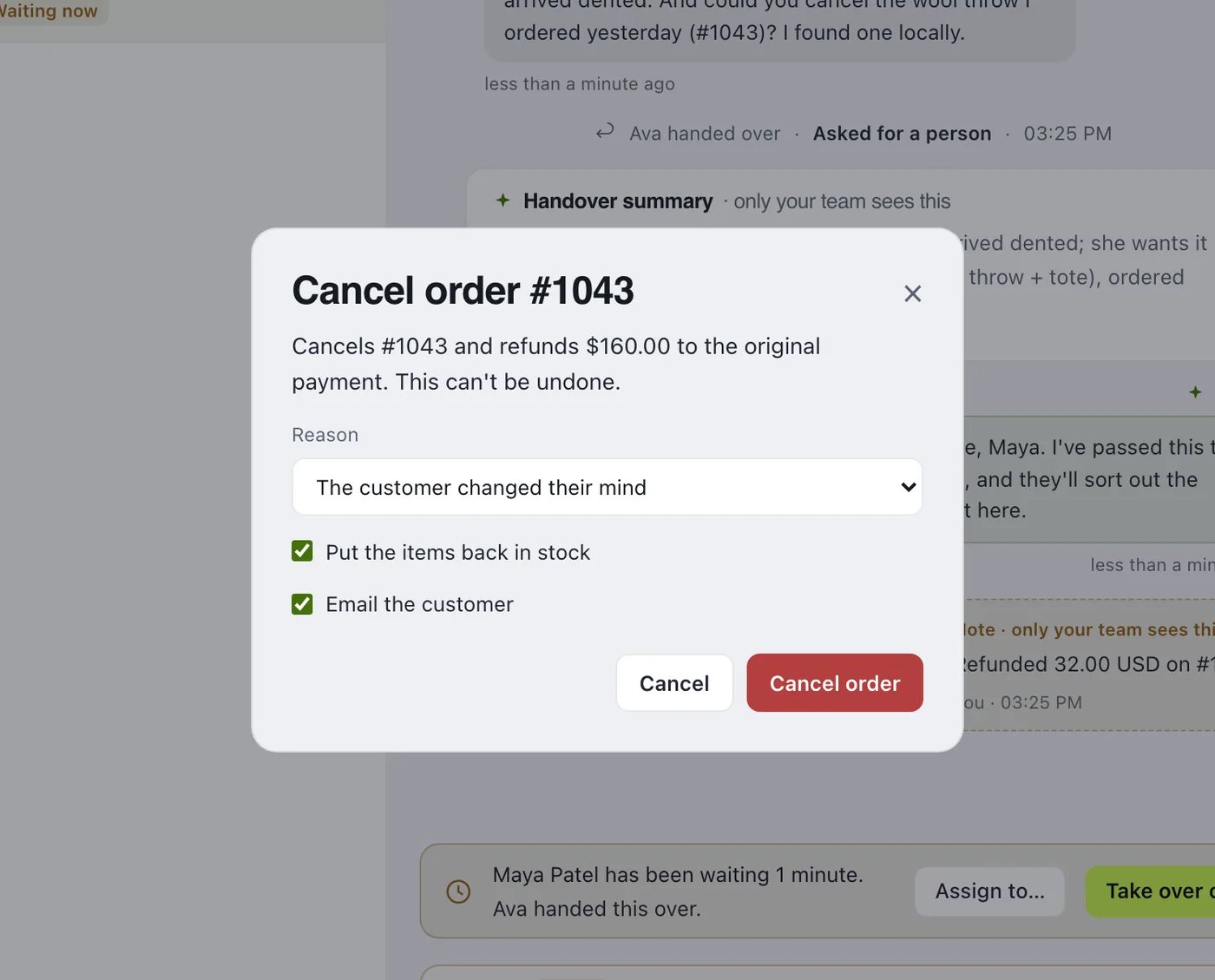
Each action opens a confirm dialog that says exactly what will happen, checks the order in the store again first, and adds a note to the conversation that only your team sees. Clicking twice never acts twice.
Who can do what
Each action has its own role permission (see Roles & Permissions):
The menu shows only the actions a person’s role allows, and the server checks the permission on every action.
Order actions for the AI agent
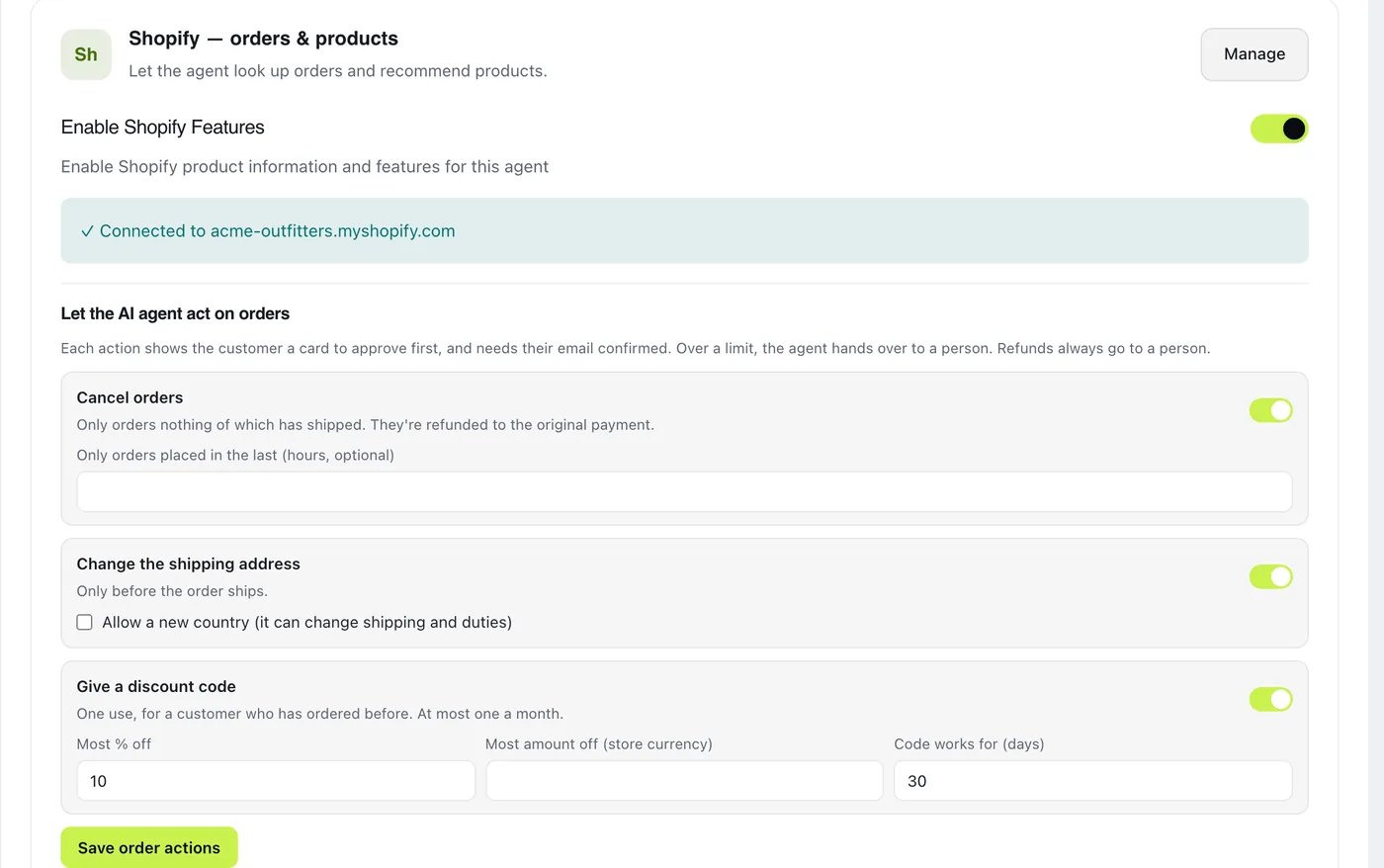
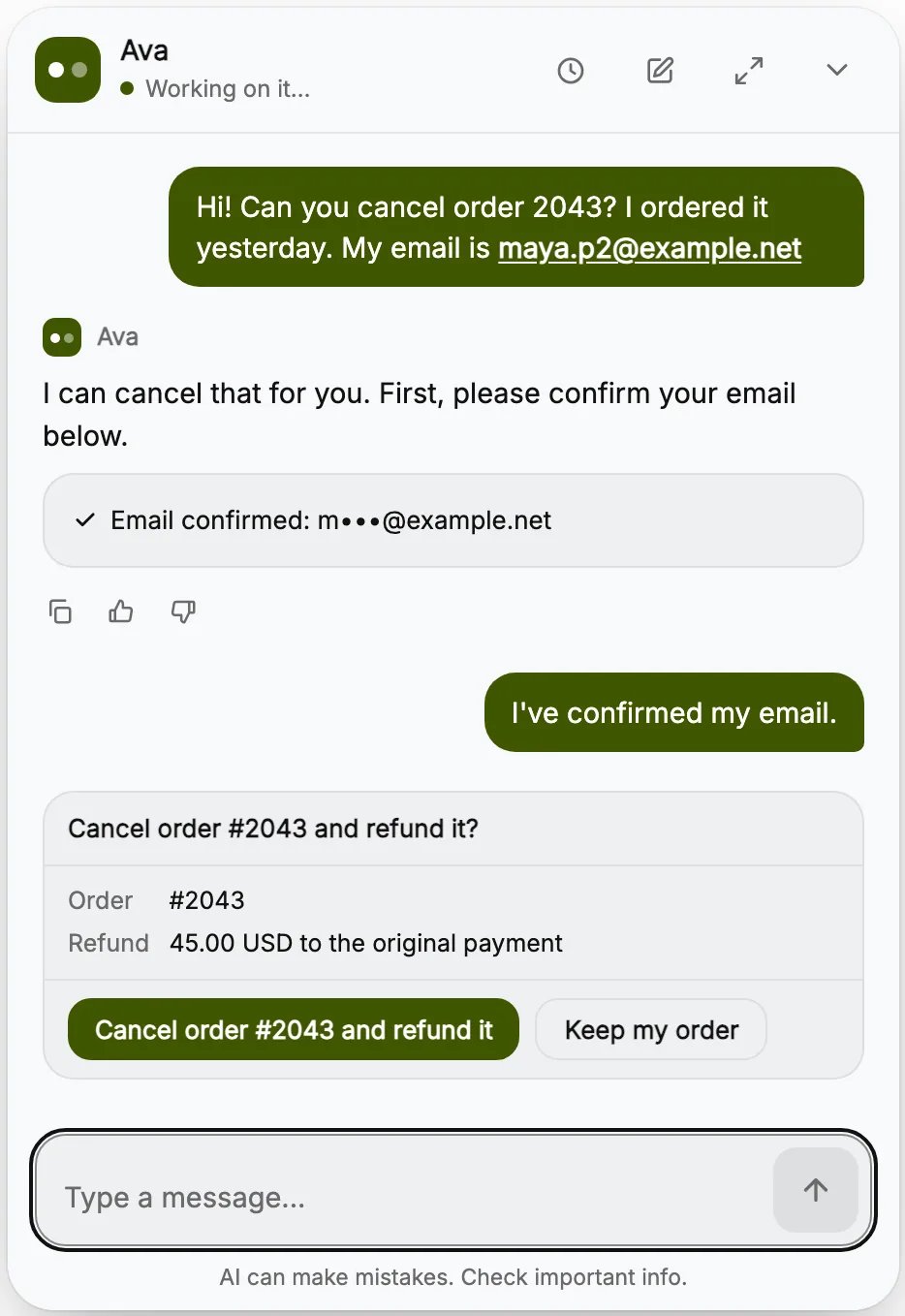
On Pro, the AI agent can act on orders too. Every action is off until you turn it on, for each agent, under AI Agents → your agent → Integrations → Let the AI agent act on orders:- Cancel orders that haven’t shipped, optionally only orders placed in the last few hours.
- Change the shipping address of an order that hasn’t shipped, in the same country unless you allow a new one.
- Give a discount code, up to the most percent or amount you set, valid for the days you choose.
- The customer writes the order number and their checkout email in the chat.
- They confirm the email with a code sent to it. The chat shows the box for it.
- They approve a card in the chat that says what will happen. If they decline, nothing changes.
Allow order actions in Shopify
Order actions need two extra permissions in Shopify: editing orders and discounts. A store owner grants them once:- Open the ChatterMate app in your Shopify admin.
- On the app’s home, click Allow order actions.
- Approve Shopify’s request.
Chat Management
Next: Learn how your team works in the inbox